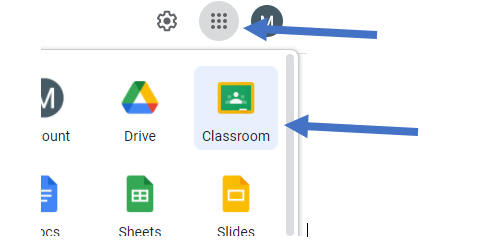
- Open Google Classroom via the waffle, or go to www.classroom.google.com and select your classroom
-
Click the Classwork tab
-
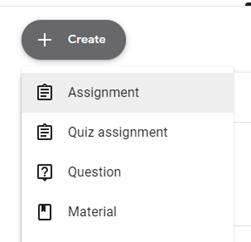
Click Create > Assignment
-
Upload an existing task, or create one directly within classroom
-
Choose how pupil see the assignment
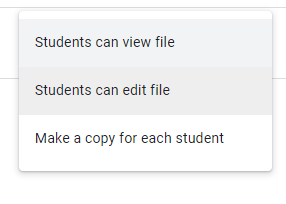
- Student can view file – this is a view only copy
- Students can edit file – this allows all students to collaborate on the same document
- Make a copy for each student – this creates a copy of the document for each student
- Assign the work by clicking on Assign button
tip: you can schedule the assignment to appear at a later date by clicking the drop-down button and select “schedule”
-
When Pupil logs into Classroom, and click the Classwork tab they will see the assignment.
-
When work is completed, they click TURN IN to hand the work back to teacher
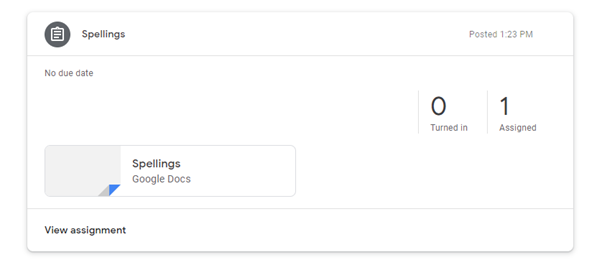
- Teacher can see how many pupils have handed work in