27 years of trusted school IT support across Hertfordshire and Buckinghamshire

Author: admin

  • Google’s New Improvements to Accessibility

    Google’s New Improvements to Accessibility

    Recently, Google have made some improvements to their accessibility features. These updates are designed to help people with disabilities to use Google features more easily.

    More colours for cursors on Chromebooks

    Six new colours have been added to the list of available cursor colours for Chromebook users. With additional new option to change cursor size, you can now make the mouse pointer much more visible. The new colours are red, yellow, green, cyan, blue, magenta and pink

    Select-to-speak and ChromeVox improvements

    Chromebooks feature the Select-to-speak tool, which reads on-screen text aloud. Now, the tool has been improved by including the option to shade the screen behind the selected text. This will help people with impaired vision, as well as those who have learning difficulties, such as dyslexia. To enable this select-to-speak feature, search for “Select-to-speak settings” within Settings.

    Accessible test-taking for students on Chromebooks

    You may be familiar with kiosk mode on Chromebooks, which temporarily prevents the device from being used for anything except a designated application. This is commonly used to prevent pupils from accessing resources while they are taking tests on the Chromebooks. Accessibility features have now become more available, allowing tools such as screen-readers and magnifiers to be used. There are also plans for Google to add personalised setting profiles, so that each pupil can easily save and apply all the accessibility tools they require.

    More support for braille in Google Docs

    Students can use a braille display to read and edit documents, spreadsheets, presentations, and drawings. There have now been several improvements to braille support in Google Docs, which include new keyboard shortcuts, faster navigation, improvements to punctuation and spaces, and more.

    Live captioning in Google Meet

    Live captions can be used in classes to reduce barriers among students who are deaf or hard of hearing, regardless of whether they’re participating remotely or in person. Now, the option to use captions in Spanish, French, German and Portuguese is being made available.

    Smart to do’s in Google Docs, Sheets, and Slides

    In Google Docs, Sheets, and Slides, when you use comments to assign tasks or action items, suggested action items will appear based on the content in your file. This is helpful for working quickly and making sure follow ups are noted.

    Work hands-free in G Suite for Education

    Students can now use voice commands to carry out actions on the Chromebooks such as navigating, selecting, and editing in Google Docs and joining or leaving Google Meets.

    Closed captions in Google Slides

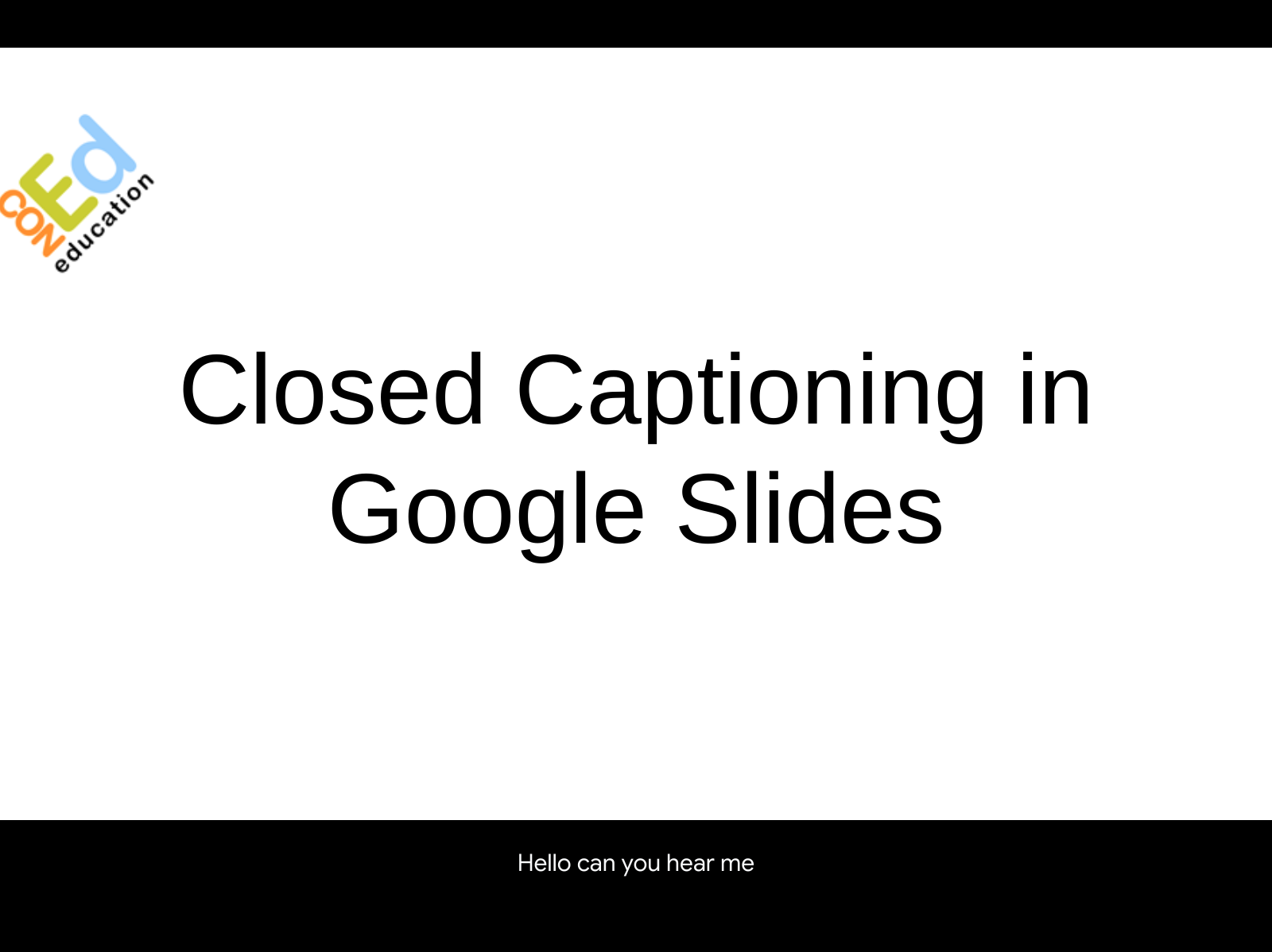
    Captioning has been made available in Google Slides. The option is now available to display at the bottom of the viewers’ screen anything that is said while a presentation is in progress. This is a very helpful tool for those who are hearing impaired.

    Live edits in Google Docs

    When editing a shared document in Google Docs, it can be helpful to know who else is working on the document, as well as what changes are being made. Now. These live edits are accessible through screen readers, which will help those who use Google Docs with impaired vision.

  • Maximising Tech Investments to Maximise Student Potential

    Maximising Tech Investments to Maximise Student Potential

    The economic headwinds are shifting, and that has many schools looking at their edtech investments with fresh eyes.

    At the beginning of the pandemic, many were forced to invest in new tools and solutions for learning at home – with limited time for discernment. As the situation has progressed, the focus has become more on optimising tech that may prove indispensable.

    But you can’t begin maximising your investment until you first decide which edtech is worth the hype. Use these best practises as a yardstick to see how the options measure up.

    Evaluate Anything That Promises to Be ‘The Next Big Thing’

    It’s ok to be wowed by a futuristic-sounding tool. There are some genuinely impressive capabilities emerging in edtech. Still, not all of them live up to their bright, shiny promises.

    Even forward-thinking schools need to carefully assess the product’s promises and give an honest enquiry as to whether their classrooms are ready. It could be that not all will benefit from it quite yet. There’s nothing that says you need to be an early adopter if you’re unsure about a piece of tech.

    Invest in Tech that will Last

    Said plainly: Don’t cut corners, or you’ll likely end up spending more money in the long run. Instead of constantly repairing and replacing devices or having to pay huge ransomware sums because your security fell short, think ahead.

    It all starts with the right device.

    Chromebooks are built for your specific education needs. This range of simple yet powerful devices, a staple of any modern classroom, features built-in accessibility and security features to deepen classroom connections and keep user information safe. They’re also optimised for video conferencing, coding, and content creation, essential skills that are sure to follow students well into the future.

    In addition to a high-powered device, your school may also find long-term value in:

    • Cutting-edge computing
    • Cloud services
    • Data-driven instruction tools
    • Adaptive learning AI

    Once you have these components in place, it all comes down to asset management if you want to extend their life cycle.

    Do Your Research

    While you might not need the shiniest new piece of tech, poke around before investing in business as usual. There might be a new piece of tech that will take learning and teaching to the next level.

    Not sure where to start? Lean on one of these resources to guide your learning research:

    Especially when time and resources are limited, vetting and then amplifying classroom tools is the best way to optimise their performance. Taking this intentional approach can return positive rewards for learners and educators alike.

  • Trend Mapping: Charting How Education is Evolving in 2022

    How do you prepare students for careers that don’t yet exist? The short answer: Technology. However, hard skills and tangible tools don’t tell the whole story. Soft skills also play a leading role in student success. In fact, the more digital the world becomes, the more important the interpersonal.

    This research-based look at classroom evolution follows where the most effectual shifts are happening – and how students are benefitting.


    VR, AR, and AI are on the rise

    Innovative classrooms produce innovative learners. The most evolved educational spaces are embracing emerging innovations such as Artificial Intelligence (AI), Virtual Reality (VR) and Augmented Reality (AR).

    The desired outcomes are multifold.

    AI tools are already being used to lighten the administrative workloads of teachers. Voice-enabled AI, a technology 70% of UK children between age 8 to 17 already use, are capable of taking attendance and tracking class participation. This allows educators to concentrate on the more personal and creative aspects of classroom management.

    Highlighting a recent report into the use of AI in UK education, The Guardian summarised how different AI tools are being used, “Some are aimed at tailoring a personalised educational experience for learners, while others ease teachers’ workloads through tools such as automated marking. Others help managers make decisions, including tools that analyse data across multiple universities to predict which are likely to perform less well in inspections.”

    Immersive technologies like VR and AR also hold promise in the classroom, especially for students with learning differences like ADD and ADHD. Though its adoption is somewhat new, research already shows that using AR in educational settings improves learning performance and encourages learning motivation. 2022 could be the year it really takes hold as it’s predicted that some 2 billion mobile AR users worldwide will use the technology on a monthly basis.


    Digital responsibility will play a large role

    As classroom technology increases, so does the need for safety. Given that people under 18 account for an estimated one in three Internet users globally, and UK children aged between 5-16 years spend an average total of 6.3 hours of screen time per day, it’s no wonder protecting their identities and psyches are top of mind.

    Schools are feeling the pressure to teach students what it means to have healthy, responsible and boundaried interactions with the technologies they use in and outside the classroom.

    The aim is to equip them with the tools they need to manage online risk and use technologies with built-in protections to keep them safe.


    Soft skills are important too

    No matter how evolved technology becomes, students will still need well-developed interpersonal skills to succeed in school and the workforce. It’s even estimated that by 2030 5.8 million people in the UK will be underskilled when it comes to interpersonal skills and empathy.

    In fact, 91% of global CEOs agree, saying soft skills that support digital competencies are what they most need to strengthen in their organisations.

    “Learning virtues and values such as empathy and kindness, and developing emotional intelligence are equally as important as the math and science lessons that we teach, in order for children to understand themselves, their connection to others and to the world,” shares Independent International Educational Consultant and whole child advocate, Nastaran Jafari.


    Student-led learning will shine

    When students have agency in their education, it sets them up to make a smoother transition from the school day to the work day.

    In a move that essentially turns the traditional teacher-student model on its head, student-centred learning shifts the power and sets the two up as equals. By giving students a say in aspects like curriculum content or how the school day is structured, it helps them get in touch with their own innate voice and prepares them to be active participants in their future.

    What students learn now will support them through the rest of their lives and careers. A static education is a huge disservice. By staying attuned to changes in the world and the workforce, educators can provide the holistic mix of skills and know-how needed to nurture our future.

  • Are You Equipping Your Students to Be Successful?

    Over the past 10 years, the number of students with a disability has increased from 6.4 million to nearly 7.2 million. The rising demand for education technology has made accessibility tools and equitable learning environments more crucial than ever. Google enables every leader to bring innovation to their schools at scale, empowers every educator by giving them simple, assistive tools, and equips every student with the tools they need to be successful.

    • 1 in 10 children worldwide have a disability
    • <1 in 5 teachers feel very well prepared to teach students with mild to moderate learning disabilities
    • 42% fewer chances given to students with disabilities to help them learn foundational reading and math skills

    Google Focuses On Building Their Products For Everyone

    Google for Education uses built-in accessibility features to help support the needs of all students and foster inclusive environments so that students can learn individually and as a group. Their accessibility features provide individualised support while giving students the resources they need to learn in a collaborative way.

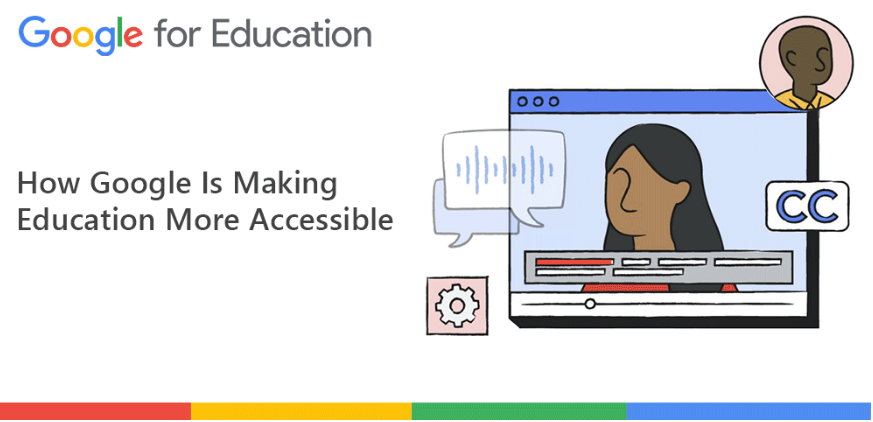
    Google aims to build helpful features across all their products. Here’s a look at how they are making education accessible for everyone.

    Chromebooks – Explore built-in accessibility features that are easy to discover, set, and use:

    • Touch optimisation
    • Screen adjustments and magnifiers
    • Mono audio and audio adjustment
    • Select-to-speak
    • ChromeVox screen reader
    • Switch Access

    Learn how to turn on Chromebook accessibility tools at goo.gl/d7Sk7m.

    Google Workspace for Education – Bring all students together to collaborate in real time:

    • Voice typing, editing, and formatting
    • Closed captioning
    • Screen magnifier
    • Screen reader and Braille support
    • Keyboard-only control

    View the Google Workspace user guide to accessibility at goo.gl/Jrtdcp.

    See How One Council Prioritised Accessibility

    The Aberdeen City Council used Read&Write from Texthelp to Chrome to assist 20,000 students across the district. Thanks to Google for Education, students can now take advantage of features like dictation and touchscreen with on-screen keyboard.

    Students also felt more confident in their reading and writing skills thanks to the support of this accessibility tool. You can read the full case study for Aberdeen City Council here.

  • Which Tech Investments Are Accelerating Student Learning?

    If there was ever a doubt of tech’s importance in the classroom, The Pandemic certainly underscored just how essential it’s become. Global funding to edtech companies soared to $20B in 2021, up about $6B from the previous year.

    But which investments are worth the price tag?

    If you’re looking for edtech that’s most likely to accelerate student learning, concentrate your efforts here.

    Tools That Will Protect Schools and Students

    Children are online at a younger age than ever before – people under 18 account for an estimated one in three Internet users globally. With the troubling spike in cyber threats, educators have a responsibility to help students develop a healthy, responsible relationship with technology.

    Given that every 39 seconds, there is a new attack somewhere on the web, students must be taught how to manage, rather than avoid, risks online.

    Safeguarding school networks, users, devices, and data is an even bigger job. Google for Education products offer built-in protections and best-in-class security like:

    • Alert Centre: Provides a complete view into security with notifications, alerts, and actions
    • Identity and access management: Manage access to tools with two-factor authentication, single sign-on, and password management
    • Data loss prevention (DLP): Helps prevent the loss or theft of data by allowing you to set your own rules and policies
    • Proactive prevention: Tighten your security across your domain with security health monitoring and best practices recommendations
    • Advanced detection: Provides analytics and insights through your security centre dashboard to help you address security risks
    • Quick remediation: Remediate malware, phishing, spam, and other cyberattacks by quickly identifying issues and taking action from a central console

    Tech That Will Prepare Students for the Workforce

    A big part of being workforce-ready hinges on a student’s ability to navigate various technologies like digital workspaces, communication platforms, and new programs. Still, educators can’t lose sight of the soft skills that back them.

    Preparing students based on technical expertise alone may not get them very far. Instead, schools should focus on evergreen skills like collaboration, critical thinking, problem solving, and even empathy. All of which are abilities that are unlikely to be replicated by tech itself.

    According to the World Economic Forum, headhunters and corporate recruiters want candidates and modern leaders who can:

    • Actively listen to others.
    • Empathise genuinely with others’ experiences.
    • Persuade people to work toward a common goal.
    • Communicate clearly – or, “touch the chords of listeners.”

    Devices and Solutions That Let Students Lead the Way

    Student autonomy is directly correlated with student success – both within and beyond the school system.

    Rob Houben, Head of School at Agora, tells Google Edu, “Schools are finally beginning to realise that you can’t force passion and motivation upon students. We know that it is not your IQ, but your passion and motivation that are the keys to success. So, if we can start with the student’s interests, we can build skills and knowledge from there. Then, learning comes in overdrive and students are set up well to become lifelong learners.”

    Once schools ensure students have access to the devices and solutions that make student-led learning possible, all that’s left is to get out of the way and facilitate as needed.

    Edtech Empowering Parents to Empower Students

    In addition to language barriers and a wide range of technology literacy, 32% of global parents say that the lack of information from their child’s school on how they can help is a major obstacle to their involvement in their child’s education.

    Dr. Hanna Dumont, Educational Psychologist and Researcher in International Education, shares why this communication breakdown can be so damaging: “Collaboration between parents and teachers would not only be helpful for parents, but also be helpful for teachers to know more about the environmental conditions and the family situation where students are coming from, because most of the differences in student outcomes are actually shaped by families and not by schools.”

    If you’re looking for tech that opens the communication channels (and keeps them that way) make sure the barrier for entry is low. Use simple solutions and consider enlisting liaisons that help with IT issues or give tutorials in other languages.

    Ultimately, the tech investments you make need to be specific to your student body. From there, you can reverse engineer your way into the tech accelerators that set your learners on the path of their personal potential.

  • What Hybrid Learning Taught Us – and Why It Still Matters

    What Hybrid Learning Taught Us – and Why It Still Matters

    Change is hard. Forced, unexpected change is even harder. Take transitioning to hybrid schooling, for example. Over the bumpy course of the crisis, up to 95% of in-person learning was lost. Students in England missed an average of 115 days, more face-to-face teaching time than anyone else in Europe.

    Then, just as pupils were settling into their distance learning routines, we pulled the plug and called them back to school. The change in the educational landscape we’ve all experienced is severe, but if we take a dedicated moment to review, we’re likely to see the hidden gems emerging from this educational experiment.


    1:1 learning remains essential

    Even pre-pandemic, 1-to-1 computing was a high priority for schools. The problem was that individual institutions were all at various stages of the process, some years away from realising their goal of a device for every single student. COVID-19 moved up the timeline on 1:1 learning and proved how non-negotiable it really is.

    The focus has shifted from emergency device acquisition to things like better record keeping for school issued devices and planning for total cost of ownership. Ed tech and e-learning tools are now so ingrained in the learning day, the question is no longer if students need devices, but how to find devices with the most cost-effective life cycles.


    Hybrid learning is still providing benefits

    There’s plenty of research to support the benefits of hybrid learning. But hybrid and blended learning environments don’t just support the learner. They make the educator’s job easier too. In fact, 94% of teachers say they are in favour of hybrid learning. Mainly because it allows them to pinpoint when and where a student may be falling behind and gives them access to tools and alternative learning methods to get them back on track.

    In addition to opening up new ways of teaching, hybrid schooling also provides opportunities for more parental involvement. The UK government’s education catch-up tsar has said, “Parents’ evenings are likely to remain virtual beyond the pandemic,” citing how much more effective this year’s parent’s evenings were. The National Association of Head Teachers echoed the same and said they expected to see this type of hybrid model used for future events, too.


    Flexibility must continue driving decisions

    If the pandemic taught us nothing else, it’s the importance of always being prepared for change. Now’s no time to stop.

    So how can schools strike the delicate balance of planning for the unknown and remaining agile as changes unfold? Staying open to experimentation, for starters.

    Schools might even go so far as to restructure homework assignments to leave room in students’ schedules for important after-school enrichment activities and more family time.

    Even school start times might need to shift, allocating mornings for younger students and giving teenagers the chance to catch up on sleep, at least on asynchronous learning days.

    Though the learning curve of this crisis-era educational model was steep, coming out the other side schools have a unique opportunity ahead of them. By taking a thoughtful look at what went well and where things fell short, we can collectively create an even better system, one that prioritises equity and continued experimentation.

  • Teacher Knows Best: How to Get the Most from Post-Pandemic Tech

    When COVID-19 hit, schools and teachers worked tirelessly to create a whole new way of providing an educational model that would engage and inspire students, and fill parents with confidence. At the cornerstone of it all was technology. Via devices, platforms, apps and programs, teachers were able to bring the schoolroom into the home, and children were able to learn, develop and connect.

    With schools now returning to “business-as-usual”, with kids back in classrooms and teachers running lessons face to face, there are questions around how we can take the tech learnings gained during remote learning, and make them work for students, families, educators and schools moving forwards.

    Google for Education recently hosted their National Education Summit, a virtual event in partnership with education experts discussing the future of education in the UK, and how technology is bringing benefits to the classroom beyond the pandemic.

    Provided by teachers who have lived it and learned it, here we present practical ways educators and schools can continue to drive the use of tech in the classrooms post-pandemic, with the primary aim to make education and outcomes better, brighter and more exciting for the whole community.

    How tech supports teaching and learning in our schools

    Technology in schools has always been a source of excitement for children. From the computer lab days, where kids might get one hour a week to discover the delights of a PC, to today, where young minds can create almost anything with the help of the right tech tools.

    The fact that tech brings joy aside – how can the right devices, applications and platforms support real teaching and learning, both in and out of the classroom?

    Chromebooks have been a game changer for educators and students in this regard and have made some key impacts.

    ACCESSIBILITY

    Having a Chromebook is like having a teacher’s aid by your side all day long.

    – Zaitoon Bukhari, teacher, secondary, England, UK

    One of the advantages offered by Chromebook has been for students with accessibility needs. For those children with special educational needs and disabilities (SEND), Chromebook’s accessibility tools, including the screen magnifier, screen reader, Braille support and more, have worked to support teaching staff and students in ensuring a quality experience for all.

    FEEDBACK AND TRACKING LEARNING

    Functions such as Questions, within Google Classroom, enable students to get real-time feedback, and relieve teachers of the burden of cumbersome marking at the end of the day, giving them more time to spend on more dynamic aspects of learning.

    Additionally, teachers have welcomed being able to set tasks in advance within Classroom, which gives students a clear roadmap of what’s next, plus the added autonomy of being able to work at their own pace. Furthermore, teachers are able to track student learning during the lesson, giving them a much more detailed insight into how a child learns and interacts with stimuli.

    COLLABORATION

    For our little ones, we use Google Classroom, Google Tools, Google Docs…we teach them how to collaborate, which means I get sent 30 little poems. They love the collaboration features and the instant feedback.

    – Tracy Jones, head teacher, primary school, North Wales, UK

    Collaboration has been a key outcome for many students and teachers who have adopted Chrome, Chromebooks, and the Google for Education offering. Where students are now better able to collaborate together on projects, using products such as Google Sites, the inclusivity extends to fellow students and even parents who can share the experience and access the work.

    How the pandemic changed education’s relationship with tech

    We’ve gone from using Chromebooks in the classroom as a research tool, to completely changing the way we are delivering our lessons. We’ve created independent learners, and we’ve transformed the way we do professional development.

    – Zaitoon Bukhari, teacher, secondary/high school, England, UK

    Back in the classroom after some long stints educating remotely and learning from home has revealed some incredible benefits that schools, educators, students and families will now reap, thanks to the disruption.

    Across the board, what the pandemic has done across many different learning ages and school types, is expose the breadth of opportunities something like Chromebook offers. And the benefits aren’t confined to student learning.

    Teachers have redeveloped their professional development style and roll-out, using tools such as Google Sites to create dedicated homepages for staff who are then able to access tools and briefing information from anywhere.

    The impact has also been felt and appreciated by the IT decision makers in schools, who have noticed a significant drop in hardware errors and repairs thanks to the sophisticated functionality of Chromebooks compared to other devices.

    Before the pandemic, Chromebooks were very much viewed as student devices. During [the pandemic] we gave every one of our teachers a Chromebook. Now we’re back in the classroom Chromebooks have replaced all of our legacy desktops. They’re much faster, meaning lessons can get started quicker, and we’ve got less old devices to manage. It’s a win-win, and has made all of our jobs a bit easier.

    – Peter Horner, IT lead, further education college, England

    How to make the most of your pandemic investment

    Many education sites invested a significant spend in purchasing devices to support staff and students during the pandemic lockdowns. Now we’re back in classrooms, how can we ensure we continue to get the most for our money?

    TRAINING

    Investing some time in training all staff on Google Educator will mean that every student and educator will be able to wring every last drop of opportunity out of their devices, because they will understand how to make them work for specific learning and teaching needs.

    STAY CREATIVE

    One of the more exciting pandemic outcomes was discovering a multitude of tools, apps, platforms, functions and programs that extended our students’ learning and improved engagement. Continuing to explore new tools will drive outcomes for schools, students and educators and keep our schools at the cutting edge of what’s new and exciting.

    The pandemic really pushed us to explore new tools, web apps, and new ways of doing things, such as Screencastify for creating videos. Soundtrap was brilliant for podcasts, and we even had our musical theatre students recording together from different locations. It’s been good to keep hold of that.

    – Peter Horner, IT lead, further education college, England

    SHARING NEW DISCOVERIES

    Although the pandemic may have pushed people apart physically, tools and devices in tech brought many of us back into the same spaces digitally, and a new kind of sharing of skills and collaboration was created. Encouraging this across your school community will continue to drive the use of tech to make schools more dynamic and exciting places to be for the whole school community.

    Keep sharing best practice. Keep exploring for new tools, keep picking up new ideas, and sharing those ideas with colleagues to see how they work across the school. Jamboard was like a storm across our school. The students love it.

    – Zaitoon Bukhari, teacher, secondary/high school, England, UK

  • Deploy High-Performance Devices for Your School Without Wiping Out Your Budget

    Affordable Access to High-Performance Devices for Education

    The need to provide the best possible equipment for teachers and students is often at odds with the need to reduce costs and make sure your IT team isn’t overstretched supporting classrooms full of complicated devices. But laptops and tablets are becoming an intrinsic part of the classroom, so schools need to provide high-performance devices that allow their students to experience that modern learning environment.

    There’s just one potential roadblock: the cost of many of these devices is climbing. IDC estimated that the average purchase price for a new laptop was £590 in 2020; simply not affordable for many schools when you need to buy 30 or more in one go. So how do you upgrade your school’s technology affordably?

    Chromebooks for Education

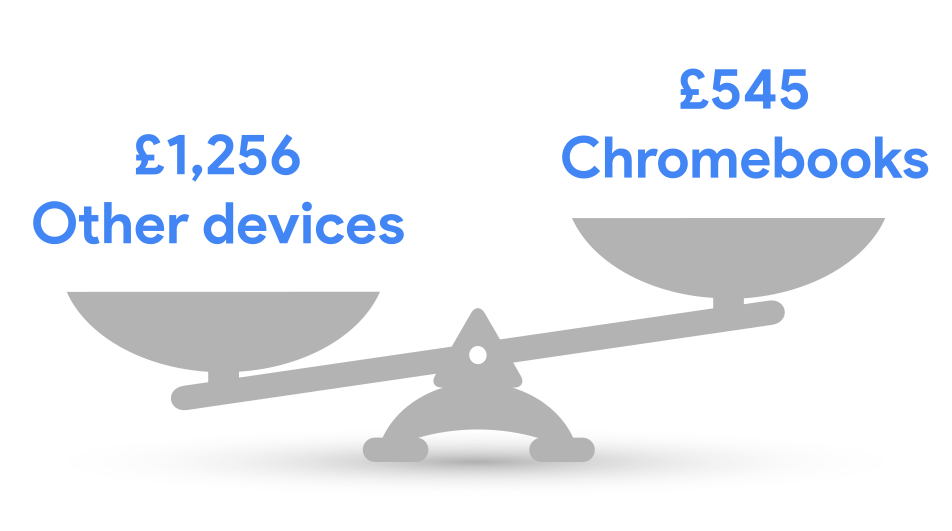
    A Chromebook is a versatile, user-friendly device that’s ideal for educational settings – and much more affordable than most comparable devices. Selecting a Chromebook means your outlay can be as much as 53% lower per device.

    For many schools, this means the opportunity to extend access to more students – supplying enough for multiple classes to use laptops at once, for example – or it can allow the school to operate using a smaller tech budget without limiting their education environment.

    Cost Over Three Years: Purchase, Deployment, and Long-Term Maintenance

    -IDC, The Economic Value of Chromebooks for Education

    Affordability Doesn’t Mean You Compromise on Performance

    With Chromebooks, a smaller price tag doesn’t come at the cost of performance. Google’s devices are packed with robust hardware, automatically updated software, and powerful tools designed to make learning simpler and more engaging. IT maintenance is expensive – and the workload only piles up the longer devices run. Chromebooks with Chrome Education Upgrade are designed for simplicity, dramatically cutting down on the expensive personnel-hours you need to spend on deploying and maintaining the devices and supporting users.

    Google users reported Chromebooks taking 59% less time to manage than comparable devices, freeing teams to focus on more valuable maintenance and upgrade work for other vital school systems. Chrome Education Upgrade makes this maintenance even simpler, providing a central cloud-based management console that allows you to set policies, push out updates, and handle access. The upgrade also links you up to 24×7 tech support from the experts at Google – for no extra cost.

    74% Less deployment time

    62% Less frequent reimaging

    55% Less unplanned outages

    76% Less frequent rebooting

    73% Less time to reboot

    -IDC, The Economic Value of Chromebooks for Education

    Deploy ChromeOS Flex to Get More Out of Your Existing Devices

    There’s no need to sunset usable desktops, laptops or tablets when you switch to Chromebooks. You can install ChromeOS Flex across your existing fleet of PC, Mac, and even Linux devices, helping you maximise your investment by extending their lifespan and potentially reducing initial spend on new devices. Plus, you can ensure your whole school benefits from a unified teaching and learning experience.

    Schools can purchase, deploy, and operate Chromebooks at a 57% lower cost over three years.

    -IDC, The Economic Value of Chromebooks for Education

    Explore Chromebooks with Chrome Education Upgrade

    When you introduce Chromebooks at your school, your students are joining more than 30 million others worldwide who are already benefiting from better educational experiences. In short, you can provide the best tools for learning while managing your budget and long-term costs effectively.

  • How Can You Reduce Your School’s Environmental Impact – While Embracing EdTech?

    How Can You Reduce Your School’s Environmental Impact – While Embracing EdTech?

    How Can Schools Empower Environmental Action?

    The Department of Education is pushing for the UK’s education sector to lead the world in sustainability and climate change by 2030. It’s aiming to achieve excellence in education and skills, meet net zero, and build resilience to climate change and a better environment for future generations. There’s plenty of work ahead to achieve that; schools currently produce 25% of public sector building emissions in the UK, which translates to 625,000 tonnes of CO2 annually.

    And when you consider digital and tech use is growing in education, the right technology choices can help schools better meet tech requirements, mitigate higher IT and electricity costs, and reduce waste and tech’s impact on our planet. With tech that’s built using industry-leading sustainable practices, you can balance efficiency, cost, and sustainability, reducing your school’s environmental impact while enhancing learning.

    The Power of Cloud

    Organisations that switch to cloud-based products like Google Workspace can cut their IT energy use and carbon emissions by as much as 87%. Google is committed to reducing its own carbon footprint, and providing schools with environmentally friendly EdTech so they can do the same.

    See how you can build on Google’s efforts to create a foundation of sustainability for your school and inspire a more environmentally friendly future for all. Back in 2007, Google was the first major company to go carbon neutral – and it’s aiming to become carbon-free by 2030.

    Education Tech That’s Energy Efficient by Design

    Chromebooks with Chrome Education Upgrade are lightweight, durable laptops designed for the classroom. They’re built to be energy efficient and to last – so schools can ensure they’re making a cost-effective, long-term investment while working towards a sustainable future.

    Powered by ChromeOS, Chromebooks use built-in capabilities such as efficient charging, low power state loads and adaptive light control powered by assistive AI, to optimise energy consumption. This also gives you a long battery life – saving electricity and ensuring teachers and students aren’t constantly tethered to a cable.

    Chromebooks with ChromeOS:

    • Are powered by a carbon-neutral cloud – the cleanest in the industry
    • Have lighter component requirements, making them more energy efficient
    • Provide automatic updates – increasing their lifespan
    • Promote efficient bandwidth use for video streaming

    And as a result, they consume nearly half as much energy as comparable devices…

    Switching 1,000 devices to Chromebooks with ChromeOS can cut greenhouse gas emissions by up to 90%.

    Enhance Learning While Saving Time and Resources

    Chromebooks with ChromeOS help schools reduce waste in more ways than one. For a start, they use low-carbon emission manufacturing processes and choose recyclable materials wherever possible in both our devices and packaging – including ocean plastic.

    And here are three more ways Chromebooks with ChromeOS help save resources:

    Reduce e-waste with long-lasting devices With long-lasting components like spill-proof keyboards and scratch-resistant Gorilla Glass, Chromebooks are built to withstand all the hazards of the classroom. Their durable build means they last longer, serving class after class of teachers and students and generating less e-waste. More than 63.2 million tons of e-waste were discarded worldwide in 2021, which weighs more than the Great Wall of China.

    Go paper-free with online lesson content and fewer letters sent home With Google Classroom and Google Workspace (which includes Docs, Forms, Sheets, Slides and more), you can engage students with paper-free tasks and presentations, and keep their guardians in the loop electronically.

    Meet remotely and reduce travel High-quality video communication services are a great alternative to in-person meetings – without compromising on that face-to-face experience. With ChromeOS and Google Meet, guardians and teachers can save on travel time and fuel.

    Saving Waste Doesn’t End With Chromebooks…

    ChromeOS can even revitalise your school’s existing laptops, desktops, and tablets. With ChromeOS Flex, you can bring them into the ChromeOS ecosystem, extending the life of your hardware and ensuring you don’t need to retire and recycle older devices ahead of time.

    Inspire Action With Environmental Curricula

    ChromeOS devices aren’t just sustainable tools to reduce a school’s environmental impact – they can also be used by teachers to educate and enable environmental action. By equipping your school with easy-to-use digital tools, you’re helping address conservation and teaching your school community about sustainable practices. With the right EdTech and resources to help incorporate climate change into your school and curriculum, you can build on Google’s future-forward efforts – inspiring the next generation of environmental leaders.

  • How to setup an Office365 email on iOS

    How to setup an Office365 email on iOS

    NOTE: There is now an updated guide to setup Office365 using the OWA App. Click Here for instructions.

    1) To setup an Office365 email account on an Apple device, open the “Settings” app

    settings app

    2) From the menu on the left hand side, select “Mail, Contacts, Calendars

    mail and contacts

    3) Select “Add Account” from the sub menu on the right hand side.

    add account

    4) Next you will be presented with a list of various email hosts. It’s a common assumption to select “Outlook.com” at this point, however, select “Other“.

    mail type

    5) Select “Add Mail Account

    add mail account

    6) Now you can fill in some basic email information. The “Name” field is your name, and the “Description” field can be called anything e.g “My School Email”. Once these are filled in, tap “Next” in the top right corner.

    initial details

    7) The next screen requires a little more information.

    • Incoming Mail Server – Host Name: outlook.office365.com
    • Outgoing Mail Server – Host Name: smtp.office365.com

    The “Username” and “Password” fields should be filled in using your email credentials. Once completed, tap “Next” in the top right corner.

    extended details

    8) If everything has been entered correctly, the account should get verified after a few seconds and you will be presented with the screen below. Tap “Save” in the top right corner – your Office365 email is now setup on your Apple device.

    final save